
Verify the download (optional)
SHA-256:
e798a129ab7a37c5418e00c05487d9147422d193938443cccc5c8b07046d7a5b
Advanced users can calculate the downloaded ZIP checksum in Terminal:
shasum -a 256 ~/Downloads/WormholeDeviceManager-2.1.0.zipYou can also verify the extracted installer package:
pkgutil --check-signature ~/Downloads/WormholeDeviceManager-2.1.0.pkg
spctl --assess --type install -vv ~/Downloads/WormholeDeviceManager-2.1.0.pkg
The package should report a trusted Apple Developer ID Installer signature and acceptance by the Apple notary service.
Connect the iPhone or iPad
- Enable Developer Mode on the device.
- Connect it to the Mac with a USB data cable.
- Unlock the device and accept the Trust prompt.
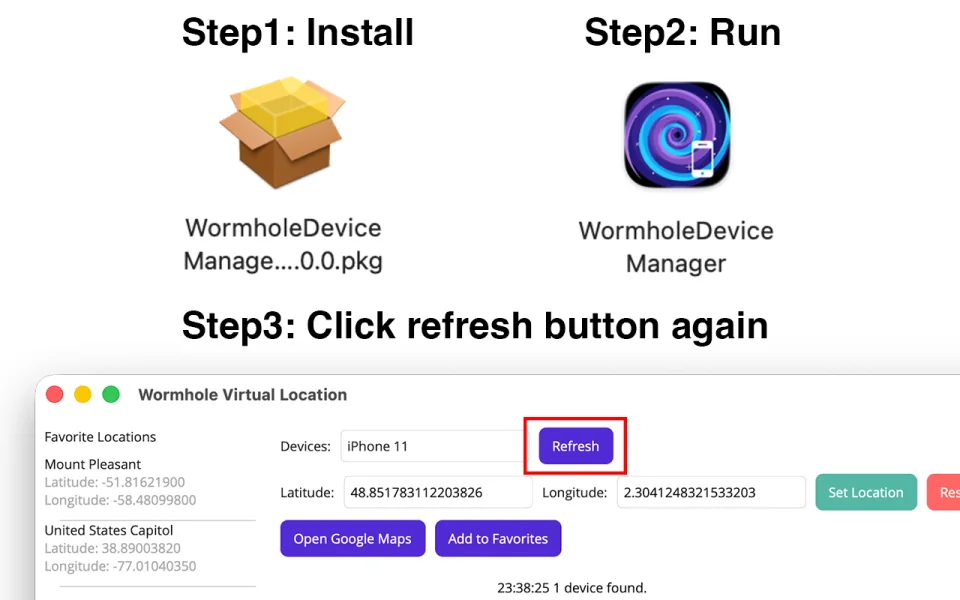
- Open Wormhole and refresh the device list.
Continue with the complete Mac setup guide for the first location and restore test.
Update or reinstall
Quit older copies of Device Manager before installing the current package. Keep only the copy installed in Applications so the store app always contacts the intended Manager process.
Need help?
Use the troubleshooting checklist or email psychangstudio@gmail.com.